
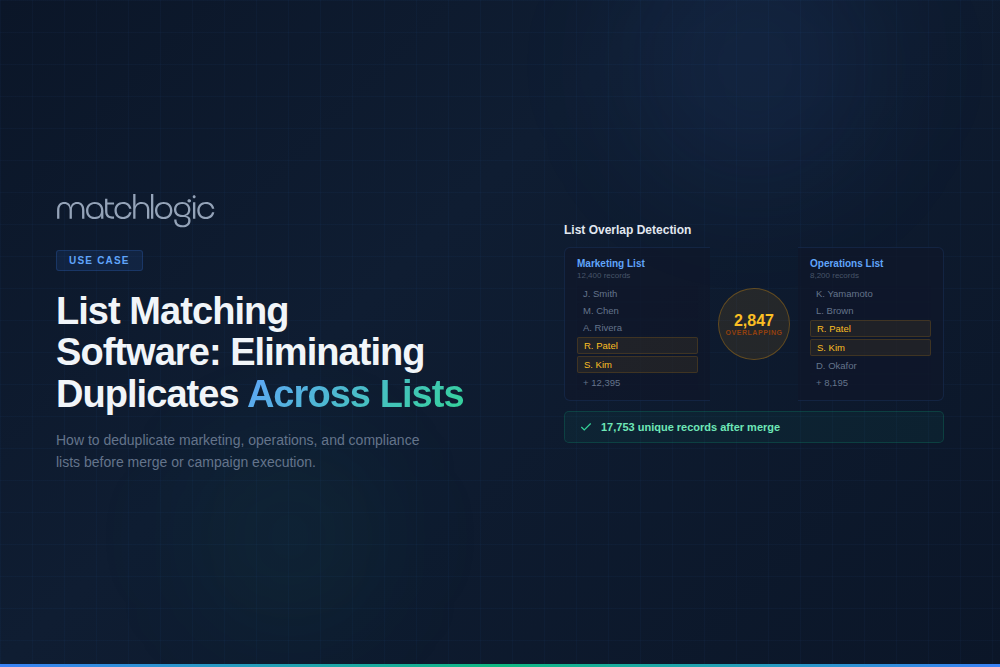
List Matching Software: Eliminating Duplicates Across Marketing and Operations Lists
List matching software combines records from two or more lists, identifies entries that refer to the same person, household, or organization across those lists, and produces a clean, deduplicated master list. This operation, known in direct marketing as merge purge, removes redundant mailings, prevents duplicate outreach, and consolidates prospect databases from many sources. It uses the same fuzzy comparison, probabilistic scoring, and standardization as broader matching, applied specifically to multi-list consolidation.
List matching is one application of data matching, the broader discipline of identifying when different records refer to the same real-world entity, focused here on the marketing and operations lists that must be reconciled before a campaign or CRM import. Every marketing team picks up lists from several places: CRM exports, purchased prospect lists, event registrations, partner co-registration lists, and web form captures.
Without list matching, the same person on three lists receives three mailings, and every metric (reach, response rate, cost per acquisition) is distorted by the duplication. Poor data quality costs organizations an average of $12.9 million a year, according to Gartner, and duplicated lists are a direct, measurable slice of that. This guide covers the list matching process, the difference between person-level and household-level matching, enterprise use cases, and evaluation criteria.
Key Takeaways
What Is the List Matching (Merge Purge) Process?
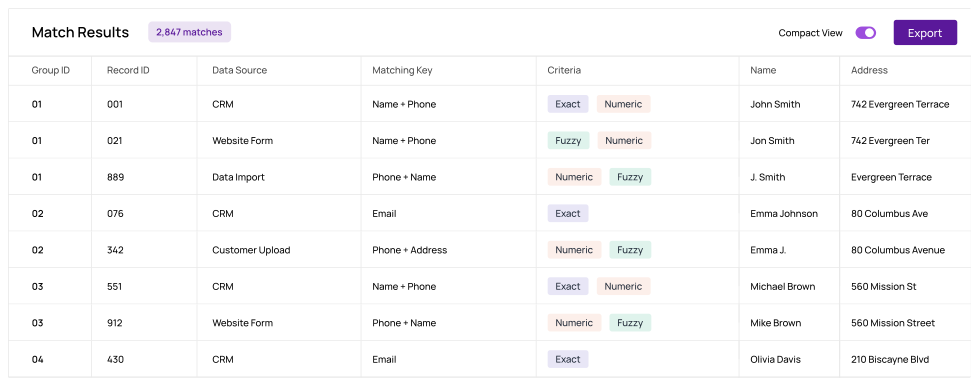
The end-to-end merge purge workflow runs in five steps, from ingesting source lists through exporting a deduplicated master. The deterministic keys, probabilistic scoring, and fuzzy string comparison that run underneath each step are the same techniques used in any matching scenario.
Step 1: Combine Lists Into a Single File
Import all source lists into the matching platform and tag each record with its source list identifier. That tag lets you trace which lists contributed each record after matching and apply source-priority rules during merge.
Step 2: Standardize Names and Addresses
Run name parsing and address standardization across every record before any comparison, because the same person appearing as “Robert Smith, 123 Main St” in one list and “Bob Smith, 123 Main Street” in another will not match without it. Fuzzy name matching software handles the name side through first, middle, and last separation plus nickname resolution, and address matching software handles the address side through USPS CASS formatting and component parsing. Standardization is the single biggest lever on match accuracy, since most format variants become exact matches once both sides reach the same canonical form.
Step 3: Match Within and Across Lists
Run matching at the configured level (person, household, or resident) using the appropriate fuzzy matching techniques on names and addresses. Within-list matching finds duplicates inside a single source, while across-list matching identifies the same entity appearing in two or more sources. Both are needed, because within-list duplicates waste spend and across-list duplicates cause multiple touches.
Step 4: Apply Priority and Suppression Rules
When the same person appears in multiple lists, priority rules decide which source record survives, and house-file records usually take priority over purchased prospect records. Suppression lists (do-not-mail, deceased, competitors, and existing customers on acquisition campaigns) are matched and flagged for removal before export.
Step 5: Export the Deduplicated Master List
The output is a single master list with duplicates merged, suppressed records removed, and source tracking preserved. That list is ready for direct mail production, email campaign loading, or CRM import, with the merge and survivorship decisions logged for audit.
What Are the Three Levels of List Matching?
List matching can be tuned to one of three granularities, depending on whether the goal is one mailing per individual, one per household, or one per address. The table below summarizes each level and where it fits.
What Should You Look For in List Matching Software?
The criteria below cover what list matching specifically demands. They sit on top of the broader data matching software evaluation, which also covers pricing models, deployment options, and total cost of ownership.
- Multi-List Input: Can it ingest and tag records from unlimited source lists simultaneously? Some tools limit the number of input sources.
- Matching Level Configuration: Can you configure person, household, and resident matching independently? Can you run multiple levels on the same job?
- Priority and Suppression Rules: Can you define source priority (house file over prospect) and match against suppression lists (do-not-mail, deceased)?
- Standardization Built-In: Does it include name parsing, nickname resolution, and USPS CASS address standardization, or does it require pre-processed input?
- Output Tracking: Does the deduplicated output include source list tracking, match codes, and duplicate counts per source? This is essential for list rental reconciliation and cost allocation.
- On-Premise Processing: Purchased and partner lists contain third-party PII. On-premise processing ensures this data never leaves your secured infrastructure. MatchLogic handles all list matching on-premise.
Reconciling Every List Before It Reaches the Mailing
MatchLogic combines multi-source ingestion, name and address standardization, configurable matching levels, priority rules, suppression matching, and detailed output tracking inside a single on-premise platform. MatchCore drives the per-pair scoring with transparent per-field rules and no training period, so every match carries a reason an auditor can read.
For organizations that process purchased prospect lists alongside house-file data, all PII stays within the network, and MatchSense adds explainable AI entity resolution when the same person or household must resolve to one persistent identity across many lists over time. Both run on-premise, so source lists and the merged master never leave your environment.
Frequently Asked Questions
What is list matching software?
List matching software combines records from multiple lists, identifies duplicate entries across those lists using fuzzy matching and name and address standardization, and produces a single clean master list. It is the core technology behind merge purge operations in direct mail and marketing, and it keeps source tracking so each record traces back to its origin list.
What is the difference between list matching and merge purge?
They describe the same operation. Merge purge is the traditional direct-mail term for combining lists and removing duplicate and suppressed records, while list matching software is the modern platform category that performs it. List matching adds configurable match levels, fuzzy algorithms, and audit trails to the classic merge purge workflow.
What is the difference between person-level and household-level matching?
Person-level matching identifies duplicates on first name, last name, and address, preserving different individuals at the same address. Household-level matching uses last name and address only, treating everyone with the same surname at an address as one household. Household matching saves more postage but can merge unrelated people who share a surname.
What is a suppression list in list matching?
A suppression list is a set of records that must be removed from the final output regardless of match status: do-not-mail and do-not-contact registrants, deceased individuals, competitors, and existing customers on acquisition campaigns. List matching software matches incoming records against each suppression list and flags them for removal before export.
How much can list matching save on direct mail costs?
Savings come from removing duplicate touches and suppressed records before mailing, so they scale with list size and the overlap between sources. Combining several prospect lists with a house file typically removes a substantial share of records, cutting print, postage, and fulfillment costs proportionally. The more sources you combine, the larger the duplication and the saving.
Can list matching software run on-premise?
Yes. Purchased and partner lists contain third-party PII that must be handled under data-sharing agreements and privacy regulations. On-premise platforms such as MatchLogic process all list matching within your secured infrastructure, so the data never leaves your network for a third-party service.





.svg)