
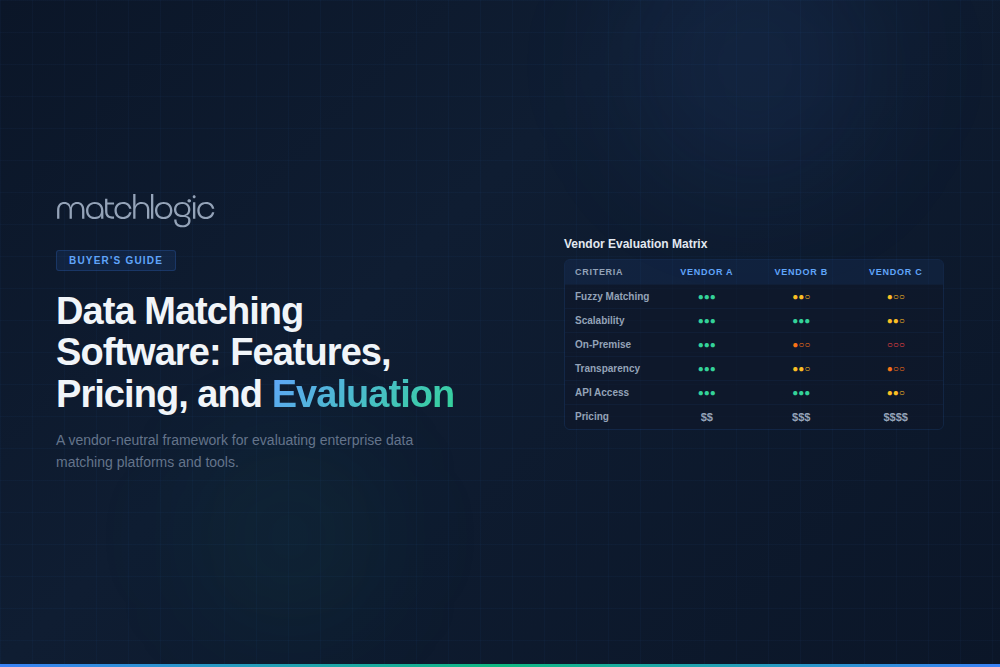
Data Matching Software: Features, Pricing, and Vendor Evaluation Guide
Data matching software automates the process of comparing records across one or more datasets to identify entries that refer to the same real-world entity. It uses deterministic rules, probabilistic scoring, fuzzy string algorithms, and machine learning to connect records despite formatting differences, spelling variations, missing fields, and inconsistent identifiers. Enterprise data matching software goes beyond basic comparison by integrating data profiling, cleansing, standardization, matching, and merge purge into a unified pipeline.
Modern matching platforms typically ship data deduplication as a first-class capability, since identifying duplicates is the most common downstream use of a match score.
Poor data quality costs organizations an average of $12.9 million a year, according to Gartner, which is why enterprises invest in dedicated matching rather than relying on built-in database tools. The market includes enterprise platforms (Informatica, IBM QualityStage, SAS), mid-market tools (Data Ladder, WinPure, Melissa), open-source libraries (dedupe.io, Splink, Zingg), and cloud services (AWS Entity Resolution).
Choosing between them requires evaluating technical capabilities, deployment model, pricing structure, and organizational fit. This guide is the procurement framework for that decision, the buyer's layer of the wider data matching discipline.
What Features Should Enterprise Data Matching Software Include?
Enterprise matching is a pipeline, not a single algorithm, so the feature set spans profiling through merge and audit. The table lists the essential capabilities and why each one matters.
Algorithm flexibility is the row that drives the rest, because the data matching techniques beneath it (deterministic, probabilistic, fuzzy, and machine learning) each suit different data. Fuzzy matching software handles the spelling and formatting variations exact rules miss, while the probabilistic scoring behind record linkage software connects records that share no key at all.
How Do Data Matching Software Pricing Models Compare?
Pricing structure shapes total cost as much as the sticker figure does, since the same tool can be cheap at proof-of-concept scale and expensive in production. The table compares the four common models.
How Should You Evaluate Data Matching Software Vendors?
A structured evaluation in five steps keeps the decision grounded in your data and your total cost, not in vendor demos.
Step 1: Define Your Matching Requirements
Document what entity types you need to match (customers, vendors, products, patients), how many records you process, which data sources are involved, what compliance frameworks apply, and whether you need on-premise or cloud deployment. These requirements narrow the vendor field significantly before any demo.
Step 2: Run a Proof of Concept on Your Data
Never select a matching tool on vendor demos that use clean sample data. Request a proof of concept on your actual data, measure precision, recall, and F1 score against a labeled validation set of at least 500 record pairs from your own systems, and compare vendors using the same set.
Step 3: Evaluate Total Cost of Ownership Over Three Years
Calculate TCO across three years, including license or subscription fees, infrastructure for on-premise, implementation services, training, and ongoing maintenance. Per-record pricing can look cheap at POC scale and expensive in production, so a tool that costs $5,000 for a POC may cost $120,000 a year at 10 million records a month.
Step 4: Assess Pipeline Integration
The tool must fit your existing data infrastructure: connect to your databases, CRMs, ERPs, and warehouses, offer API-based automation, and run as a step in your ETL or ELT pipeline. Tools that require manual export and import between stages create friction and introduce errors, and the match output should flow straight into merge purge and entity resolution without a manual handoff.
Step 5: Verify Auditability and Compliance
For regulated industries, confirm that the tool logs every match decision with full transparency: the algorithms applied, the scores produced, the thresholds used, and the reviewer actions taken. Request audit log samples and verify the format meets your compliance team's documentation requirements.
Where Does MatchLogic Fit in the Data Matching Software Market?
MatchLogic is an on-premise data matching and entity resolution platform for regulated industries and large enterprises, the buyers who need data residency, processing control, and full auditability.
Its algorithms have been refined on real datasets since 2006, and it is deliberately transparent. Every match decision shows which fields contributed, which algorithms ran, and the score for each, so there is no black box to explain away to an auditor.
It also skips the bloat. Instead of a six-figure MDM suite full of catalog, lineage, and governance modules most teams never switch on, MatchLogic does matching well and prices below legacy suites. The capability ships as two engines that share one pipeline: MatchCore for configurable rule-based and fuzzy matching, and MatchSense for pre-trained AI entity resolution. Both run entirely inside your infrastructure.
One Pipeline: Seven Steps from Messy Data to Golden Record
Both engines move data through the same seven steps. You walk the pipeline once, adjusting as you go, then let the built-in scheduler repeat it on every new batch:
- Import: connect to databases (SQL Server, Oracle, Teradata, MySQL), Salesforce and other cloud apps, and flat files through native connectors or ODBC, with schema differences reconciled for you.
- Profile: scan every column for type, completeness, distinct values, entropy, anomalies, and semantic role, with a Vocabulary Governance view that shows exactly what to standardize.
- Cleanse and standardize: chain transformations in a visual, no-code editor, backed by a library of more than 300,000 built-in rules for name, address, and phone data.
- Match or resolve: the one step where the two products differ. MatchCore matches on configurable algorithms and thresholds; MatchSense resolves records into entities with its pre-trained AI engine.
- Merge: apply field-level survivorship rules (by source priority, completeness, or recency) to build one golden record per entity.
- Export: send results from any stage to files, databases, CRMs, ERPs, warehouses, or your MDM.
- Automate: the scheduler re-runs the sequence on a set cadence or whenever a source updates, turning a one-time cleanup into continuous data quality.
Everything runs in memory, so a single analyst can profile, match, and merge a multi-million-record master in an afternoon, and your source data is never touched.
MatchCore: Configurable, Rule-Based Matching You Control
MatchCore is for teams that want to own and audit their match logic. You pick which fields to compare, choose an algorithm per field, set weights and thresholds, and can even match across columns when a data-entry error puts a value in the wrong place. The algorithms span exact, phonetic, edit-distance, token-based, and fuzzy matching, with an optional ML-enhanced mode.
Because the rules are pre-built and tunable rather than learned from scratch, MatchCore is accurate on the first run, with no training period.
Transparency is the point. When it links two records, it shows the breakdown (“name 93%, address 87%, tax ID 100%”), so if a match looks wrong you adjust the threshold and re-run. It reliably catches the variations that cause missed matches: nicknames (Bill and William), phonetic near-matches (Stephen and Steven), abbreviations (J&J and Johnson & Johnson), transposed characters, and format differences across systems.
Reach for MatchCore when you want maximum control and a documented, reviewable basis for every decision. The MatchCore platform page has the full detail.
MatchSense: Pre-Trained AI Entity Resolution
MatchSense swaps the configurable match step for a purpose-built AI engine that groups records into entities on its own, with no weights or thresholds to tune. It arrives pre-trained on global libraries of names, nicknames, and addresses, so the first run is accurate without a labeled dataset.
It also keeps learning. As it sees more data, it refines earlier groupings, and because the result doesn't depend on the order records arrive in, the output stays stable instead of drifting.
For anyone wary of the word “AI,” two points matter. There is no generative model in the loop: MatchSense resolves entities and nothing else, so it can't hallucinate, and the same input always returns the same explainable result. And it runs entirely inside your environment, so no records leave for an outside service.
It also reads how entities connect. Shared addresses or identifiers surface alongside the matches, and the engine flags anomalies like one identifier spread across hundreds of records, a common sign of fabricated data. That makes it a fit for work where the connections matter as much as the matches:
- Fraud detection: surfacing fabricated identities and connected fraud rings.
- KYC and AML screening: matching customers against sanctions and watchlists with a clear trail behind each decision.
- Customer 360: unifying every record for a customer across CRM, billing, and support into one profile.
- Mergers and acquisitions: resolving overlapping customers and vendors and quantifying true overlap.
- Knowledge graphs: feeding resolved entities and their relationships to downstream analytics and AI.
Reach for MatchSense when you want AI resolution without building or maintaining rules, and when linking records that share no common key (the territory of record linkage) is central to the job. The MatchSense platform page has the full detail.
MatchCore or MatchSense: Which Engine Fits?
The two engines solve the same problem from opposite directions: MatchCore gives you hand-tuned control, MatchSense gives you hands-off AI. Both share the same on-premise deployment, explainable output, in-memory scale, and the profiling, cleansing, survivorship, and automation steps around the match. The table maps where they part ways.
Deployment and Proof Points
Both engines deploy three ways, so you can match your security posture:
- Desktop: runs locally, with no data leaving the analyst's machine.
- Server: multi-user access with scheduled, recurring runs.
- API: a RESTful endpoint for profiling, cleansing, matching, and merge, so the platform can act as a real-time data quality firewall in front of your databases and entry forms.
In every mode, processing stays inside your infrastructure, which is what makes the platform workable for HIPAA, GDPR, and government data.
On results, MatchLogic reports 96% average match accuracy across the 15 independent benchmark studies it cites (university, government, and private-sector data, 80,000 to 8 million records), with at least 10% more true matches than competing tools, the fewest false positives, and faster runs than IBM and SAS. Treat those as MatchLogic's stated figures, and do what this guide recommends for any vendor: confirm them with a proof of concept on your own data.
Choosing the Right Data Matching Software
The data matching market gives you real range, from free open-source libraries to six-figure enterprise suites, but the headline price tells you almost nothing about which tool will actually work on your data. The decision comes down to fit: the algorithms have to handle your field types, the deployment model has to satisfy your compliance posture, and the pricing model has to stay sane as your volume grows.
Two disciplines protect you from an expensive mistake. Run a proof of concept on your own records, not on the vendor's clean demo data, and measure precision, recall, and F1 against a labeled set you control. Then model three-year total cost of ownership, because a per-record tool that looks cheap at POC scale can turn into a six-figure line item at production volume.
MatchLogic was built for the buyers who land on the strict end of that checklist: regulated industries and large enterprises that need on-premise processing, transparent scoring, and an audit trail their compliance team will sign off on. MatchCore gives you rule-based control over every match decision; MatchSense gives you pre-trained AI resolution with no rules to maintain. Both run entirely inside your infrastructure, and both are easy to put to the same test you should apply to any vendor. Bring your own data and see how it scores.
Frequently Asked Questions
What is data matching software?
Data matching software automates the comparison of records across datasets to identify entries that refer to the same entity. It uses deterministic rules, probabilistic scoring, fuzzy algorithms, and machine learning to connect records despite formatting differences, spelling variations, and missing fields, and it usually bundles profiling, standardization, and merge purge around the match step.
How much does data matching software cost?
Pricing varies by model: perpetual licenses run from about $20,000 to $500,000+, annual subscriptions from $5,000 to $200,000+, per-record pricing from about $0.001 to $0.01 per record, and consumption-based pricing by compute usage. A three-year TCO analysis including implementation, infrastructure, and maintenance is the most reliable way to compare options.
What is the difference between data matching and data integration?
Data integration tools (ETL and ELT) move data between systems, while data matching identifies which records across those systems refer to the same entity. Integration moves data; matching links it. Most enterprises need both, because integration centralizes the data and matching determines which records belong together.
What is the difference between data matching software and master data management?
Data matching software finds and links records that represent the same entity. Master data management (MDM) is the broader governance program that maintains authoritative golden records over time, with stewardship, policies, and workflows. Matching is the engine inside MDM; MDM is the operating model around it, so many teams buy matching software first and add MDM governance later.
Can data matching software run on-premise?
Yes. On-premise deployment processes all matching within your secured infrastructure, so match scores, algorithms, and audit trails are generated locally and PII never leaves your network. MatchLogic is built for on-premise deployment, which is the deciding criterion for healthcare, financial services, and government buyers with data-residency obligations.
How do you measure data matching software accuracy?
Three metrics: precision (the share of declared matches that are correct), recall (the share of true matches found), and F1 score (the harmonic mean of the two). Run a proof of concept on your actual data against a labeled validation set of 500 or more record pairs and compare vendors using the same metrics on the same set.





.svg)