
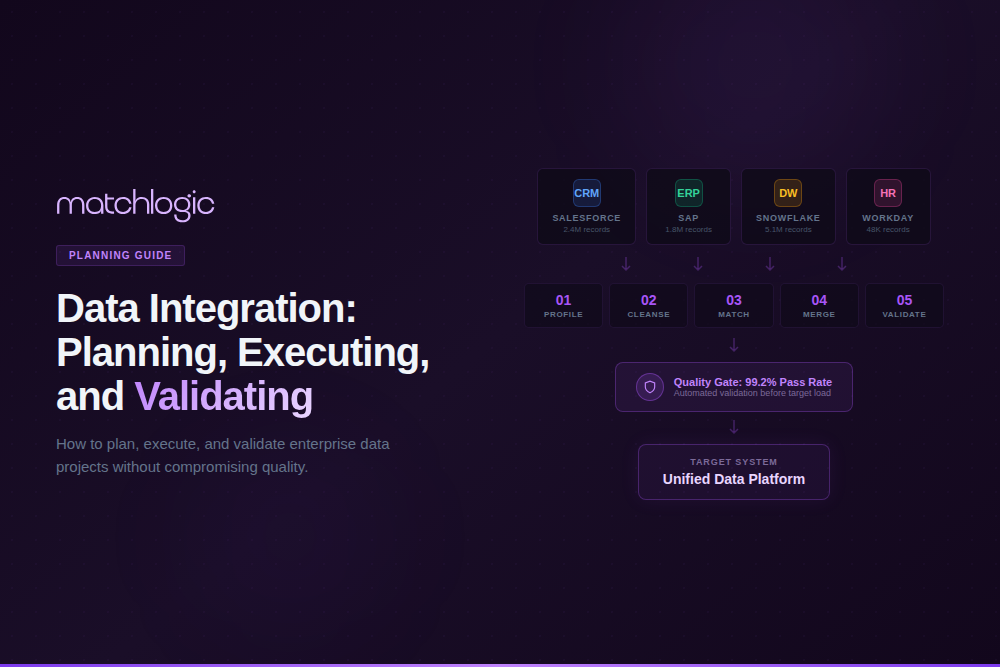
Data Integration Steps: Planning, Executing, and Validating Enterprise Data Projects
Data integration is the process of combining data from multiple disparate sources into a unified, consistent view that supports analytics, operations, and decision-making. The lifecycle includes planning (defining goals, sources, and architecture), extraction (pulling data from source systems), transformation (cleansing, standardizing, restructuring), loading (writing to the target system), and validation (confirming accuracy, completeness, and quality of the integrated output). Data integration is the technical backbone of system migrations, post-merger consolidations, master data management, and data warehouse and lake projects.
The most common reason integration projects fail is not a technology limitation; it is data quality. Gartner research finds that 83 percent of data migration projects either fail or exceed their budgets and schedules, with poor source data quality the top cited cause. Dirty, unstandardized, duplicate-laden source data does not become clean when it moves to a new system; it becomes a permanent quality problem there.
The most common migration pitfalls are catalogued in the data migration problems guide, and this guide covers the end-to-end process with a focus on the data quality steps that decide whether the project succeeds.
What Are the Key Data Integration Steps?
Enterprise data integration follows eight stages. The first four (plan, profile, cleanse, standardize) are preparation stages that most organizations rush through or skip entirely. The remaining four (extract, match/deduplicate, load, validate) are execution stages. Skipping the preparation stages is the primary reason integration projects fail.
Step 1: Define Integration Goals and Scope
Before touching any data, define what success looks like: which source systems are in scope, what the target system is, which business outcomes the integration should enable, which entity types are being integrated, and what the timeline and budget are. Scope creep is the second most common cause of integration failure, so define scope explicitly, get stakeholder sign-off, and resist additions until the initial scope is complete.
Step 2: Profile Source Data Quality
This is the step most organizations skip, and it determines project success. Profile every source dataset to measure completeness, consistency, validity, and duplicate rate within each source and across sources, which reveals the actual quality baseline before any data moves.
A global bank preparing for a post-merger integration profiled 200 legacy databases and found inconsistent customer ID formats across 47 systems, a 23 percent duplicate customer rate, and 35 percent of address fields using non-standard abbreviations. Without profiling, all of that quality debt would have been imported into the consolidated system.
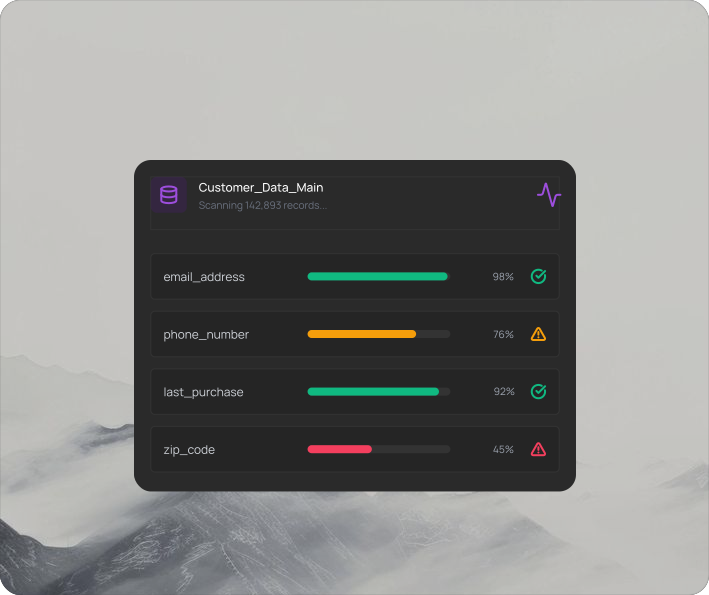
MatchLogic profiles millions of records in seconds, revealing the actual quality baseline of your source data before any integration begins.
Step 3: Cleanse and Standardize Source Data
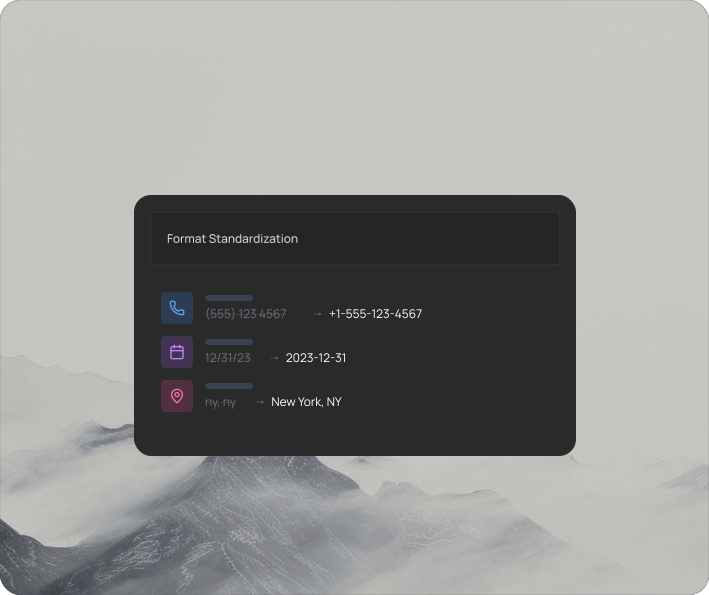
Once profiling reveals the issues, fix them before extraction: remove invalid values, standardize formats (dates to ISO 8601, addresses to postal standards, phones to consistent patterns), and parse compound fields into structured components. This is the stage where data cleansing and data standardization directly determine integration success, and running both inside the same pipeline that later matches and deduplicates the data removes the export and import steps between stages.
Step 4: Match and Deduplicate Across Sources
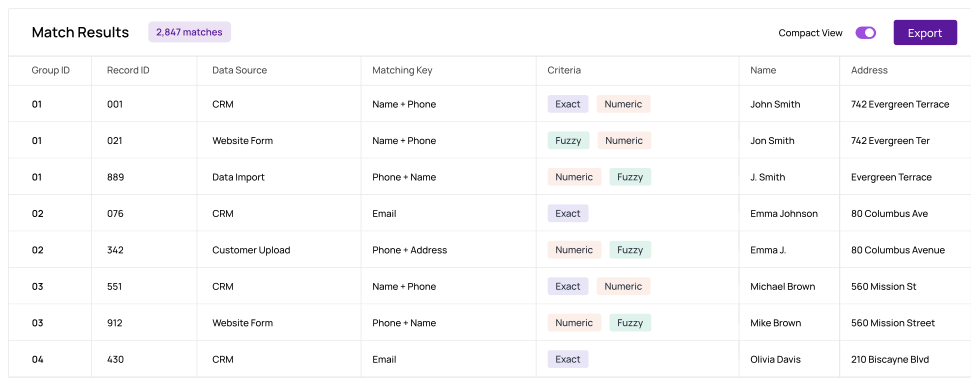
Before loading, run data matching across all source datasets to identify records that refer to the same entity, then apply data deduplication so only one golden record per entity loads. This is critical for post-merger integrations and system consolidations, because without cross-source matching, duplicates from every source accumulate in the target.
A manufacturer migrating from three legacy ERPs to a single Oracle instance ran cross-source matching on 4.2 million supplier records and found 12,000 duplicate vendors that existed across all three systems. Without matching, those 12,000 vendors would have been imported as 36,000 separate records, tripling vendor-management overhead and creating duplicate-payment risk.
Step 5: Extract Data from Source Systems
Extract cleansed, standardized, deduplicated data from source systems, with the method varying by source: database queries for relational systems, API calls for cloud applications, flat-file exports for legacy systems, and change data capture for real-time or incremental integration. Document the extraction logic and schedule so the process is repeatable.
Step 6: Transform and Map to Target Schema
Transform extracted data to conform to the target schema: field mapping, data type conversion, business-rule application, and restructuring as the target requires. Document every transformation rule for auditability and future reference.
Step 7: Load into Target System
Load transformed data into the target system. For full migrations, use bulk loading that bypasses application-level validation for speed, then validate afterward, and for ongoing integration use API-based loading with error handling and retry logic. Maintain load logs that record every record processed, loaded, rejected, or errored.
Step 8: Validate and Reconcile
Post-load validation is the quality gate that determines whether the integration succeeded: compare record counts between source and target, compare field completeness so no data was lost, run duplicate detection on the target to confirm cross-source matching worked, and run sample-based accuracy checks on transformed fields.
A health system migrating 2 million patient records ran post-load validation and discovered that 3,400 records had lost middle-name data during transformation and 1,200 records had been duplicated by an extraction timing issue. Both were caught and corrected before go-live because validation was built into the process, not treated as optional.
What Are the Most Common Data Integration Failures?
Most integration failures trace back to a small set of preventable causes, each tied to a preparation step that was skipped. The table maps the failure to its root cause and the prevention.
Where Do Data Integration Projects Have the Highest Stakes?
Healthcare: EHR Consolidation and EMPI
Healthcare integration projects, whether consolidating EHR systems after an acquisition or building an Enterprise Master Patient Index, carry patient-safety implications, because a failed integration that creates duplicate patient records or loses medication history can contribute to adverse events. The patient-safety and quality requirements specific to the sector are covered in data quality in healthcare.
Financial Services: Post-Merger Account Consolidation
When two banks merge, their customer, account, and transaction databases must integrate without losing data, creating duplicates, or breaking regulatory reporting, and the stakes are measured in regulatory penalties: missing KYC records, inaccurate transaction histories, or duplicate account numbers all trigger violations. The accuracy requirements for the sector are detailed in data accuracy for financial services.
Manufacturing and Retail: ERP Migration
ERP migrations involve millions of records across vendors, products, transactions, and master data, and the complexity is compounded because ERP data often carries decades of accumulated quality debt: duplicate vendors, inconsistent product codes, and obsolete records that were never archived. Standardizing and deduplicating before migration is the only way to avoid importing that debt.
How Does Data Integration Fit Into a Broader Data Quality Program?
Data integration is not a one-time project; it is an ongoing capability within a broader data quality program. Every time a new source is connected, an acquisition closes, or a system is upgraded, the same quality challenges recur, and a mature program addresses this by embedding profiling, cleansing, standardization, and matching into the pipeline as permanent automated stages. The governance, tooling, and metric frameworks for that are laid out in the data quality program guide.
Data Quality Is the Foundation of Successful Data Integration
The eight-step process (define goals, profile, cleanse, standardize, match, extract, transform and load, validate) is straightforward in concept but demanding in execution, and the steps most organizations skip, profiling, cleansing, standardization, and matching, are precisely the ones that decide whether the integration succeeds. The high migration failure rate is not a technology problem; it is a data quality problem.
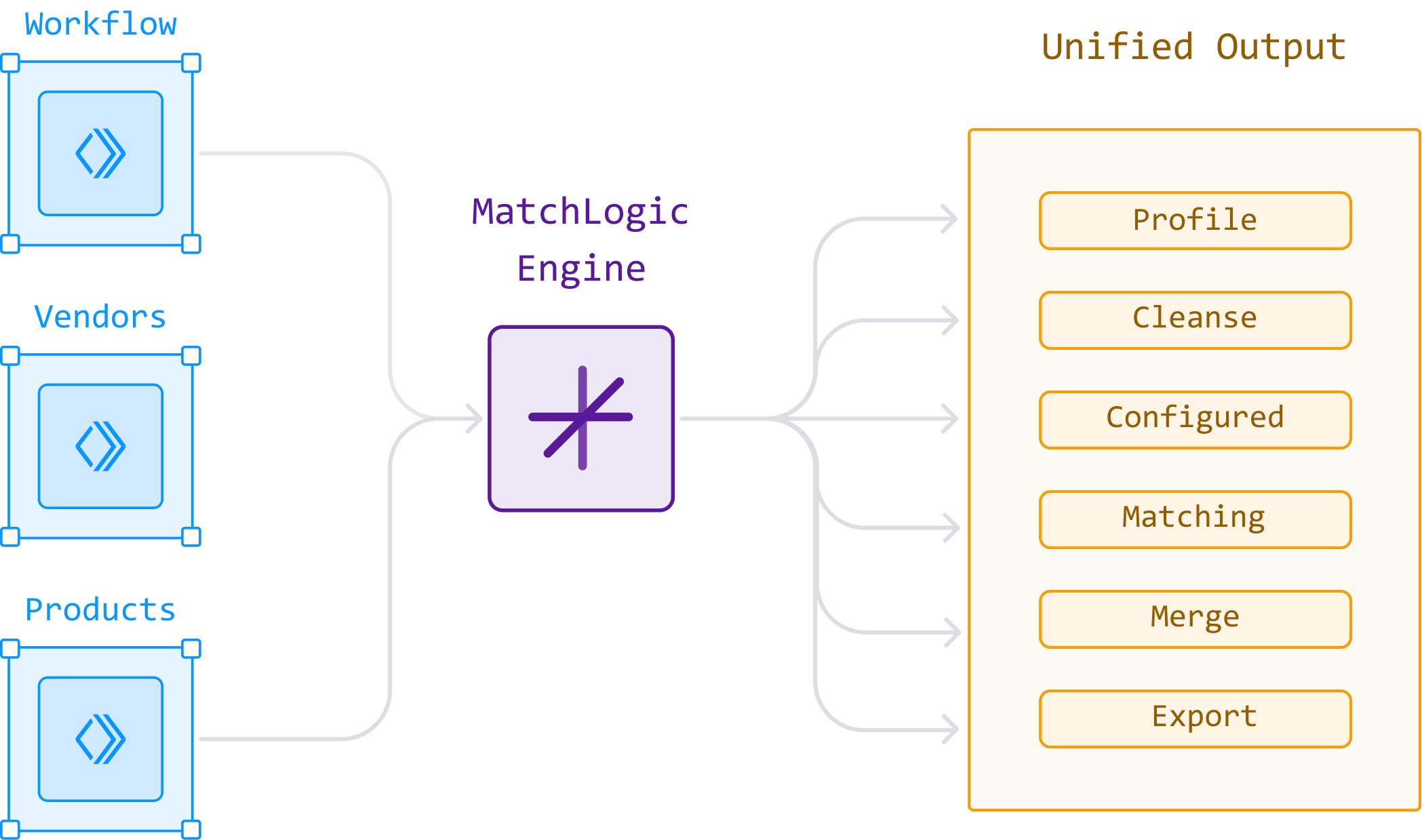
MatchCore provides the data quality layer for enterprise integration: profiling that reveals source quality in seconds, rule-based cleansing and standardization that fix issues before extraction, cross-source matching that prevents duplicate imports, and validation that confirms target quality after load, all as data preparation rather than AI. When the goal extends to a persistent, unified identity per entity in the target, entity resolution through MatchSense adds explainable AI clustering and golden-record creation, all on-premise where data residency during migration is non-negotiable.
Frequently Asked Questions
What are the key steps in data integration?
The eight key steps are: define goals and scope, profile source data quality, cleanse and standardize source data, match and deduplicate across sources, extract data, transform and map to the target schema, load into the target system, and validate and reconcile. Steps two through four (the data quality steps) are the most commonly skipped and the most critical for success.
What is the difference between data integration and data migration?
Data migration is a one-time move of data from one system to another, usually during an upgrade or consolidation. Data integration is the broader, often ongoing discipline of combining data from multiple sources into a unified view, which may run continuously through pipelines. Every migration is a form of integration, but integration also includes real-time and recurring data flows that have no end date.
Why do data migration projects fail?
Gartner finds that 83 percent of migration projects fail or exceed budget, and the top cause is poor source data quality: dirty, unstandardized, duplicate-laden data that gets imported into the new system and becomes a permanent problem. Other common causes are scope creep, inadequate field mapping, and skipping post-load validation.
What is the difference between ETL and ELT in data integration?
ETL extracts data, transforms it in a separate processing layer, then loads the clean result into the target, which suits regulated and on-premise pipelines where data is cleansed before it lands. ELT loads raw data into the target first, then transforms it there, which suits cloud warehouses with elastic compute. The data quality steps (profiling, cleansing, standardization, matching) apply to both, only at different points in the flow.
What is the role of data profiling in integration?
Profiling scans source systems to measure completeness, consistency, validity, and duplicate rates before any data moves. It reveals the actual quality baseline and identifies the specific issues that must be fixed before extraction. Without profiling, integration teams make assumptions about source quality that are almost always wrong.
How does data matching prevent duplicate imports?
Cross-source matching compares records from all source systems to identify entries that refer to the same entity. Without it, the same entity that exists in three source systems imports as three separate records in the target, tripling duplicate counts. Running matching before extraction ensures only one golden record per entity loads.
Can data integration tools run on-premise for regulated data?
Yes. On-premise integration and data quality platforms process all data within your secured infrastructure. MatchLogic provides profiling, cleansing, matching, and merge purge on-premise, so sensitive records such as PHI, PII, and financial data never leave your network during migration.
How do you validate data integration results?
Post-load validation includes record-count reconciliation between source and target, field-completeness comparison so no data was lost, duplicate detection on the target to confirm matching worked, sample-based accuracy checks on transformed fields, and business-rule validation. Validation should be a mandatory project gate, not an optional final step.





.svg)