
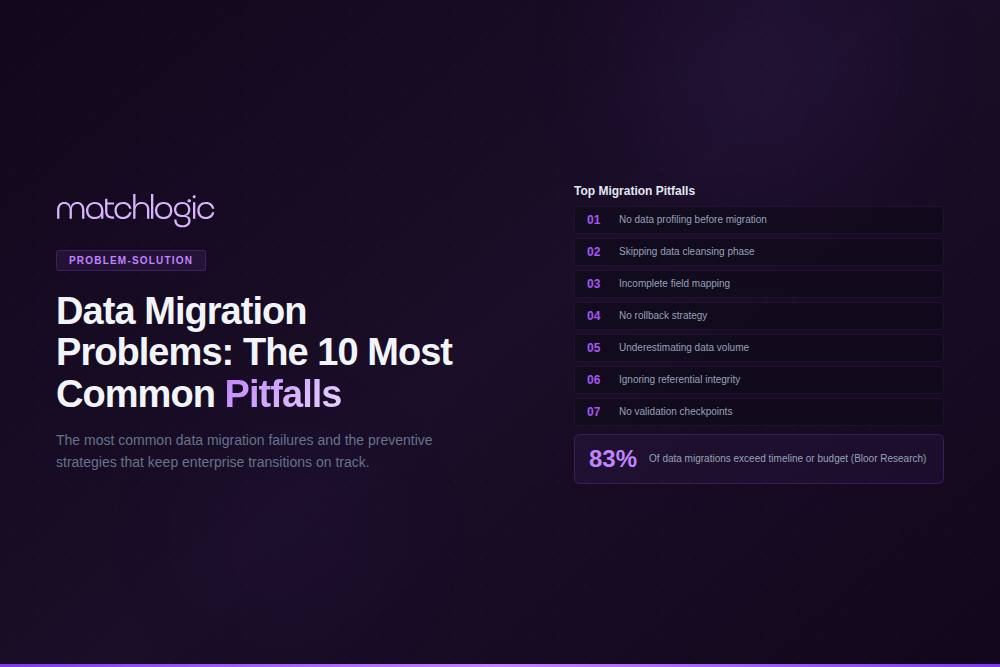
Data Migration Problems: The 10 Most Common Pitfalls and How to Avoid Them
Data migration problems are the technical, organizational, and data quality failures that cause enterprise data transfer projects to exceed budgets, miss deadlines, or corrupt critical records. According to industry research, 83% of data migration projects fail to meet their original objectives, with timeline overruns averaging 41% and cost overruns reaching 30% or more. The root cause behind most of these failures is not the migration tooling itself; it is the state of the data being moved. Duplicate records, inconsistent formats, undocumented dependencies, and missing validation rules account for the majority of migration project failures across every industry.
This guide breaks down the 10 most common data migration pitfalls enterprise teams encounter, explains the specific root cause and financial impact of each, and provides actionable prevention strategies grounded in real-world project data. Whether you are migrating between on-premise systems, moving to the cloud, or consolidating databases after an acquisition, these are the problems that will determine whether your project succeeds or fails
Regulated industries face extra pressure on migrations — our guide on data accuracy in financial services covers the compliance-specific patterns.
Why Do Data Migration Projects Fail?
Most data migration failures share a common pattern: teams focus on infrastructure and tooling while treating data quality as a secondary concern. A migration project moves data from System A to System B, but System A's data has been accumulating quality problems for years: duplicates, inconsistent formatting, orphaned records, and undocumented business rules embedded in application logic rather than the database schema.
According to Gartner, poor data quality costs organizations an average of $12.9 million per year. When that same data gets migrated without remediation, those costs do not disappear. They multiply. The new system inherits every problem from the old one, plus new problems introduced by the migration process itself: truncated fields, encoding errors, broken referential integrity, and lost metadata.
The following 10 pitfalls represent the most frequent and costly data migration problems, organized by where they occur in the migration lifecycle. Each includes the root cause, the typical financial impact, and a specific prevention strategy.
1. Skipping Pre-Migration Data Profiling
Data profiling is the process of analyzing source data to understand its structure, content, quality, and relationships before any migration begins. Skipping this step is the single most expensive mistake a migration team can make.
Without profiling, teams discover data quality issues during the migration itself, when fixing them costs 5 to 10 times more than catching them in the planning phase. A 2024 TDWI report found that organizations that profiled data before migration completed projects 37% faster and with 60% fewer post-migration defects than those that did not.
What Profiling Should Reveal
A thorough profiling pass should produce metrics on completeness (percentage of null or missing values per column), uniqueness (duplicate detection rates), consistency (format variations across the same field type), and validity (values that fall outside acceptable ranges or violate business rules). For example, a 500-bed hospital system migrating its EHR discovered during profiling that 12% of patient records had missing date-of-birth fields, 8% had duplicate MRNs, and address formatting varied across 14 different patterns. Catching these issues pre-migration saved an estimated $2.3 million in remediation costs.
Healthcare migrations carry particularly high stakes — see our vertical guide on data quality in healthcare for the EHR- and EMPI-specific patterns.
data integration steps data profiling tools
2. Migrating Duplicate Records Into the New System
This is the pitfall that every other article on data migration mentions in passing but none address with the specificity it deserves. Duplicate records are not just a storage problem. They are a compounding data quality failure that distorts every downstream process in the target system: analytics, reporting, customer communications, regulatory filings, and vendor payments.
According to a 2023 Experian study, the average enterprise database contains 25% to 30% duplicate records. When those duplicates migrate to a new system, they create duplicated relationships, duplicated transaction histories, and duplicated compliance records. A mid-market financial services firm migrating from a legacy CRM to Salesforce found that 34% of its 1.2 million contact records were duplicates or near-duplicates. Migrating them all would have cost an estimated $180,000 in additional Salesforce licensing fees alone, before accounting for the downstream reporting errors.
How to Prevent It
Run a full deduplication pass on source data before extraction. This requires more than exact-match detection. Names like "Robert Smith" and "Bob Smith" at the same address are the same person; "Acme Corp" and "ACME Corporation" are the same company. Fuzzy matching algorithms (Jaro-Winkler, Levenshtein distance, Soundex) identify these non-obvious duplicates that exact matching misses. MatchLogic's profiling engine can scan millions of records and surface duplicate clusters with match confidence scores before a single record moves to the target system.
3. Schema Mismatches Between Source and Target Systems
Schema mismatches occur when the data structure in the source system does not align with the target system. A VARCHAR(50) field in Oracle truncates silently when mapped to a VARCHAR(30) column in PostgreSQL. A decimal field with four-digit precision loses data when the target only supports two. Date formats that work in one database engine produce invalid entries in another.
These mismatches cause up to 45% of migration-related data corruption, according to Cloudficient research. The corruption is often invisible at first: row counts match, the migration log shows success, but the data itself is silently broken. A manufacturing company migrating its ERP discovered three months after cutover that 11% of product cost records had been truncated during migration, resulting in incorrect margin calculations across 4,200 SKUs.
Prevention Strategy
Build a field-by-field mapping document that compares data types, lengths, constraints, and default values between source and target. Test with representative data samples that include edge cases: maximum-length strings, special characters (accented names, non-Latin scripts), null values, and boundary dates. Validate with checksums at both the row level and the aggregate level after every test migration.
4. Ignoring Data Standardization Before Migration
Data standardization, the process of converting data values into a consistent format, is the single most overlooked pre-migration step. Source systems accumulate years of format drift: "California" vs. "CA" vs. "Calif." in state fields, "Street" vs. "St." vs. "St" in addresses, phone numbers stored as (555) 123-4567 in one system and 5551234567 in another.
When unstandardized data migrates, the target system inherits every inconsistency. Worse, if the target system applies its own standardization rules, conflicts emerge. Records that should match no longer match. Reports that should aggregate correctly produce incorrect totals. Customer communications get sent to the wrong format of the same address.
Run standardization as a distinct step between profiling and migration, not as part of the migration ETL. Address standardization should follow USPS CASS standards for US addresses and equivalent national standards for international data. Name standardization should parse components (prefix, first, middle, last, suffix) into separate fields before migration.
data standardization guide standardization for data migration
5. Underestimating Data Volume and Processing Time
Migration timelines are consistently underestimated. Research from Cloudficient found that 61% of migration projects exceed their planned timelines by 40% to 100%. The primary cause is not slow tooling; it is the gap between estimated data volume and actual data volume, combined with the time required for transformation and validation.
A common scenario: the project plan estimates 50 million records based on the primary tables. During extraction, the team discovers 200 million records across related tables, audit logs, and archived data that also require migration. The two-hour maintenance window stretches to eight hours. Network throughput bottlenecks emerge. Transformation jobs that ran fine on test samples of 100,000 records fail at scale.
The prevention is straightforward: profile the complete data estate before estimating timelines. Count records across all relevant tables, not just the primary ones. Run transformation tests at full production volume, not on samples. Build 40% buffer time into every migration window, and plan for rollback if the buffer is consumed.
6. Breaking Data Dependencies and Referential Integrity
Enterprise databases are not collections of independent tables. They are webs of relationships: foreign keys, lookup tables, parent-child hierarchies, and cross-references that enforce business logic at the database level. Migrating tables out of dependency order, or failing to preserve referential integrity constraints, produces orphaned records, broken joins, and cascading failures in downstream applications.
A healthcare system migrating to a new EHR loaded patient demographic records before encounter records. The encounter table referenced patient IDs that did not yet exist in the target system. The result: 47,000 clinical encounters with no associated patient, invisible to clinicians until a nurse discovered missing histories during a patient admission three weeks post-migration.
Map every foreign key relationship and load dependency before writing the migration script. Use dependency-ordered loading: parent tables first, child tables second, junction tables last. Validate referential integrity after each batch load, not just at the end. Automated lineage mapping tools can accelerate this process for databases with hundreds or thousands of interconnected tables.
7. Inadequate Security and Compliance Controls During Transfer
Migration creates a temporary but significant exposure window for sensitive data. Records move between systems, pass through staging environments, and may traverse networks in ways that violate data residency requirements. According to IBM's 2024 Cost of a Data Breach report, the average cost of a data breach reached $4.88 million, and migration-related exposures contributed to 31% of enterprise breaches.
Regulated industries face specific requirements. HIPAA requires that protected health information (PHI) remain encrypted both in transit and at rest during migration. GDPR Article 17 mandates the ability to delete personal data across all systems, including migration staging environments. SOX Section 404 requires documented internal controls over financial data, including during system transitions.
Encrypt data in transit using TLS 1.3 or higher. Encrypt staging environments with the same controls applied to production. Apply role-based access controls to migration pipelines: not everyone who can read production data should have access to the migration staging environment. For on-premise to cloud migrations, verify that data residency requirements are satisfied at every hop. MatchLogic's on-premise deployment model eliminates data residency concerns entirely; data never leaves the organization's controlled infrastructure.
8. Choosing Big-Bang Migration Without Validating Data Quality First
Big-bang migrations, where all data moves in a single cutover event, are inherently higher risk than phased approaches. They are sometimes necessary (regulatory deadlines, contract expirations), but they should never be the default choice for datasets with known quality issues.
A phased migration with incremental validation catches errors 3 to 5 times faster than a big-bang approach for datasets exceeding 10 million records. Each phase migrates a defined subset (by business unit, geography, entity type, or date range), validates against acceptance criteria, and resolves issues before the next phase begins. If Phase 2 uncovers a systematic data quality problem, the team fixes it before it affects Phases 3 through 5.
Big-Bang vs. Phased Migration: When to Use Each
9. No Rollback Plan or Incomplete Backup Strategy
Every migration plan needs a tested rollback strategy. Not a theoretical one documented in a project charter that no one has validated; a rollback that has been executed successfully in a staging environment with production-volume data.
Without a rollback plan, a failed migration becomes a crisis. The old system is decommissioned or modified, the new system contains corrupted data, and the organization operates in a degraded state while engineers attempt manual recovery. IDC research estimates that unplanned downtime costs enterprises an average of $250,000 per hour. A migration failure that takes 8 hours to resolve costs $2 million before accounting for downstream business impact.
Snapshot the source database immediately before cutover. Maintain the source system in read-only mode until the target system passes all validation checks. Define specific, measurable rollback triggers: if more than 0.1% of records fail validation, if referential integrity checks flag more than 50 orphaned records, or if any critical business process fails end-to-end testing in the target system. Test the rollback procedure quarterly if the migration timeline spans multiple months.
10. No Post-Migration Data Quality Monitoring
The migration is complete. The target system is live. The project team disbands. And within 90 days, data quality starts to decay. New duplicates form as users enter records without deduplication controls. Formatting inconsistencies creep back in. Integration feeds from upstream systems introduce data that does not match the standards applied during migration.
Post-migration monitoring is not optional for organizations that want to protect their migration investment. The monitoring should track the same metrics established during pre-migration profiling: duplicate rate, completeness, format consistency, and referential integrity. If the pre-migration duplicate rate was 28% and the post-migration rate was cleaned to 2%, a monitoring alert should fire if the rate crosses 5%.
Set up automated data quality dashboards that run profiling checks on a weekly basis for the first 90 days post-migration, then monthly thereafter. Embed deduplication checks into the data ingestion pipeline so new records are matched against the master dataset before they enter the system. This is where the long-term value of a data quality platform becomes clear: migration is a one-time event, but data quality is a continuous process.
Data Migration Risk Matrix: Probability, Impact, and Prevention at a Glance
The table below summarizes all 10 pitfalls with their probability of occurrence, business impact severity, and the primary prevention measure. Use it as a pre-migration checklist to assess your project's exposure
How to Build a Pre-Migration Data Quality Checklist
The following eight-step process addresses the data quality dimension of migration planning. Infrastructure, networking, and application migration steps are outside this scope. This checklist assumes that the migration tooling and target system architecture have already been selected.
Step 1: Profile All Source Data
Run automated profiling against every table in scope. Capture completeness, uniqueness, consistency, validity, and timeliness metrics. Identify the baseline duplicate rate, the number of distinct format patterns per field, and any referential integrity violations.
Step 2: Assess and Score Data Quality
Assign a quality score (0 to 100) to each table or entity type based on profiling results. Tables scoring below 70 require remediation before migration. Tables scoring 70 to 85 require validation during migration. Tables scoring above 85 can proceed with standard checks.
Step 3: Deduplicate Source Data
Run fuzzy matching across all entity types (customers, vendors, products, locations). Identify duplicate clusters and define survivorship rules: which record's values take precedence when duplicates merge. Execute the merge in the source system or in a staging environment.
Step 4: Standardize Formats and Values
Apply standardization rules for addresses (USPS CASS or national equivalent), names (parse into components), phone numbers (E.164 format), and any domain-specific fields. Log every transformation for audit purposes.
Step 5: Map Source-to-Target Schema
Create a field-level mapping document. For each source field, document the target field, data type conversion rules, default values for nulls, and any transformation logic. Flag fields where data loss is possible (length truncation, precision reduction).
Step 6: Run Test Migration with Validation
Execute a full-volume test migration (not a sample). Compare record counts, checksums, and field-level values between source and target. Run the target system's business logic against the migrated data. Flag any validation failures.
Step 7: Define Rollback Triggers and Procedures
Specify the exact conditions that trigger a rollback (defect rate thresholds, failed business processes, data loss detected). Document the rollback procedure step by step. Test it at production volume in a staging environment.
Step 8: Establish Post-Migration Monitoring
Configure automated profiling to run against the target system on a defined schedule (weekly for 90 days, monthly thereafter). Set alert thresholds for duplicate rate, completeness, and referential integrity. Assign ownership for responding to alerts.
Data Quality Is the Migration Variable You Can Control
Network latency, vendor delays, and organizational politics are migration variables that teams have limited ability to influence. Data quality is not. Every one of the 10 pitfalls in this guide is preventable with the right combination of profiling, deduplication, standardization, and validation applied before, during, and after the migration.
The organizations that treat data quality as a migration workstream, not an afterthought, are the ones that finish on time, on budget, and with a target system their users actually trust. MatchLogic provides the profiling, matching, and deduplication capabilities that enterprises need to execute this workstream as part of their data integration process, whether on-premise or across hybrid environments.
Frequently Asked Questions
What is the most common cause of data migration failure?
Poor data quality is the most common cause. According to industry research, 84% of migrations are affected by data quality issues including duplicate records, inconsistent formatting, and missing values. Organizations that run data profiling and deduplication before migration reduce project failure rates by more than 60%.
How long does an enterprise data migration typically take?
Enterprise data migrations typically take 3 to 18 months depending on data volume, number of source systems, and complexity of transformation rules. Research shows that 61% of projects exceed their planned timelines by 40% to 100%, primarily because teams underestimate data volume and the time required for quality remediation.
Should I clean data before or after migration?
Before. Always before. Cleaning data after migration means every downstream process, report, and integration has already been contaminated by dirty data. Pre-migration cleansing costs 5 to 10 times less than post-migration remediation because the problems are isolated to the source system rather than propagated across the entire target environment.
What is the difference between big-bang and phased data migration?
Big-bang migration moves all data in a single cutover event, typically during a planned downtime window. Phased migration moves data in defined subsets over multiple cycles, with validation between each phase. Phased approaches catch errors 3 to 5 times faster for large datasets and allow rollback at the subset level rather than requiring a full system revert.
How do I prevent duplicate records from migrating to a new system?
Run a deduplication pass on source data using both exact-match and fuzzy matching algorithms before extraction. Exact matching catches identical records, but fuzzy matching (using algorithms like Jaro-Winkler or Levenshtein distance) identifies near-duplicates such as name variations, abbreviations, and typos that exact matching misses. Enterprise environments typically find 15% to 30% duplicate records through fuzzy matching alone.
What compliance frameworks apply to data migration projects?
The applicable frameworks depend on industry and geography. HIPAA governs healthcare data and requires encryption of PHI during migration. GDPR applies to personal data of EU residents and requires documented data processing agreements for migration activities. SOX Section 404 requires internal controls over financial data during system transitions. CCPA and state-level privacy laws may also apply depending on the data subjects involved.





.svg)