
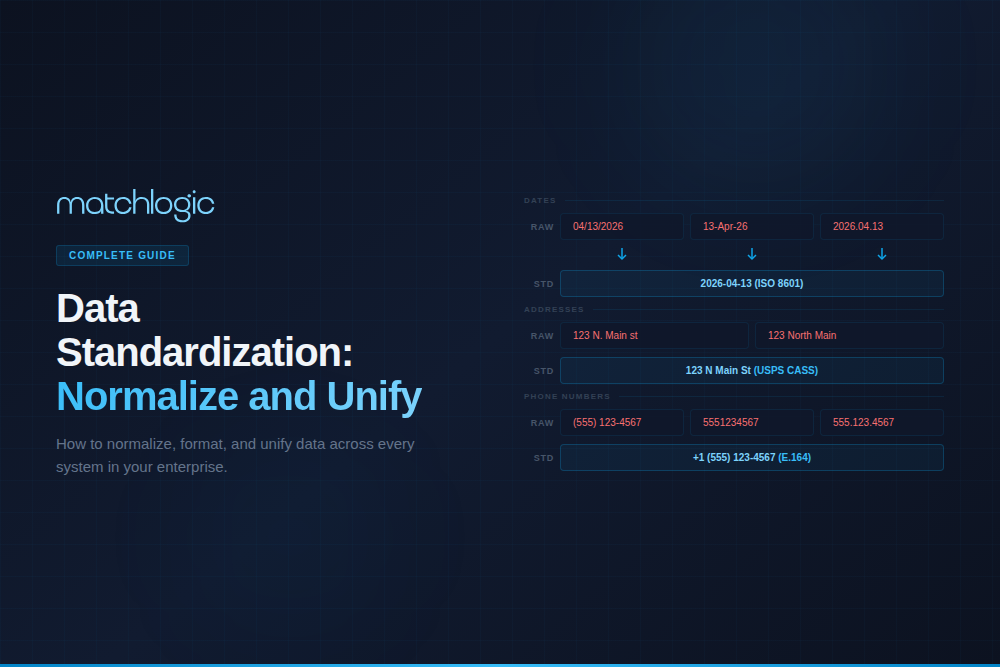
Data Cleansing: The Enterprise Guide to Identifying and Fixing Dirty Data
Data cleansing (also called data cleaning or data scrubbing) is the process of identifying and correcting inaccurate, incomplete, improperly formatted, or duplicate records in a dataset. It includes removing invalid characters, standardizing formats, filling missing values, parsing compound fields, correcting known errors, and preparing data for downstream processes like matching, deduplication, analytics, and AI/ML model training. Data cleansing is not a one-time event; it is an ongoing discipline that must be embedded in data pipelines to prevent quality degradation over time.
For enterprises, dirty data is not an abstract problem. According to Gartner, poor data quality costs organizations an average of $12.9 million per year. A significant portion of that cost originates from records that contain format inconsistencies, invalid values, and incomplete fields that propagate errors through every downstream system they touch. This guide covers the types of dirty data, the cleansing process, the relationship between cleansing and matching accuracy, tool evaluation criteria, and best practices for building repeatable data quality workflows. For a detailed comparison of terms, see our [INTERNAL LINK: 4E, data cleansing vs. scrubbing vs. washing guide].
Key Takeaways
- Data cleansing identifies and corrects inaccurate, incomplete, and inconsistent records; it is distinct from deduplication and matching.
- Dirty data falls into six categories: format inconsistencies, invalid values, missing fields, duplicate entries, structural errors, and outdated information.
- Cleansing before matching improves deduplication accuracy by 40–50% (MatchLogic customer benchmarks).
- The cleansing pipeline follows four stages: profile, standardize, validate, and monitor.
- Automated cleansing via API prevents data quality from degrading after initial cleanup.
- On-premise cleansing platforms address data residency requirements for organizations processing PII, PHI, or regulated financial records.
What Types of Dirty Data Exist in Enterprise Systems?
Dirty data is not a single problem; it is a category of problems. Understanding the specific types of data quality issues in your systems is essential for configuring the right cleansing rules.
Format Inconsistencies
- Examples: Phone: (555) 123-4567 vs. 5551234567 vs. +1-555-123-4567. Dates: 01/15/2024 vs. 2024-01-15 vs. Jan 15, 2024.
- Impact If Not Cleansed: Matching algorithms treat format variants as different records, creating false negatives and hidden duplicates.
Invalid Values
- Examples: Email: john@.com. Phone: 000-000-0000. ZIP: ABCDE. Age: -5.
- Impact If Not Cleansed: Invalid data propagates through analytics, corrupts ML models, and fails validation in downstream systems.
Missing Fields
- Examples: 40% of records missing email. 25% missing phone. 15% missing ZIP code.
- Impact If Not Cleansed: Incomplete records cannot be matched, segmented, or contacted. Reduces the effective size of your usable dataset.
Structural Errors
- Examples: Full name in one field ("Dr. Robert J. Smith Jr.") vs. parsed into first/middle/last. Address as single string vs. structured components.
- Impact If Not Cleansed: Compound fields cannot be compared field-by-field, blocking accurate matching and preventing standardization.
Duplicate Entries
- Examples: Same customer as "Robert Smith," "Bob Smith," and "R. Smith" across three systems.
- Impact If Not Cleansed: Inflated record counts, wasted marketing spend, split engagement data, compliance risk.
Outdated Information
- Examples: Former addresses, old phone numbers, maiden names, previous employer records still active.
- Impact If Not Cleansed: Outreach fails. Analytics reflect historical state, not current reality. Compliance reports inaccurate.
How Does the Data Cleansing Process Work?
Enterprise data cleansing follows a four-stage pipeline: profile, standardize, validate, and monitor. Each stage addresses different quality dimensions and produces measurable improvements.
Stage 1: Profile and Diagnose
Data profiling is the diagnostic step. It scans every field in your dataset to measure completeness (what percentage of records have a value), consistency (how many format variations exist), validity (how many values fail pattern or range checks), and uniqueness (estimated duplicate rate). Profiling should happen before you write a single cleansing rule; without it, you are guessing at what needs to be fixed. See our [INTERNAL LINK: 4C, data profiling tools guide] for a deep dive on profiling techniques.
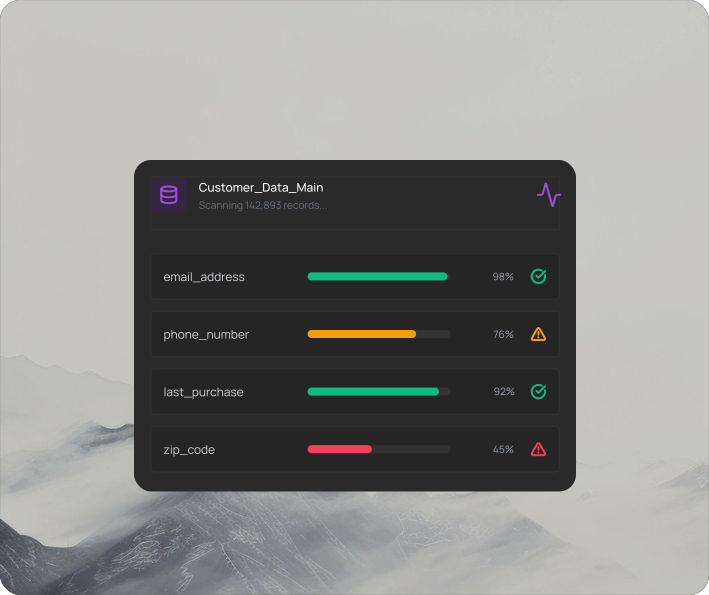
MatchLogic profiles 1 million records in under 5 seconds, revealing completeness scores, format chaos, and pattern anomalies before any cleansing begins.
Stage 2: Standardize and Transform
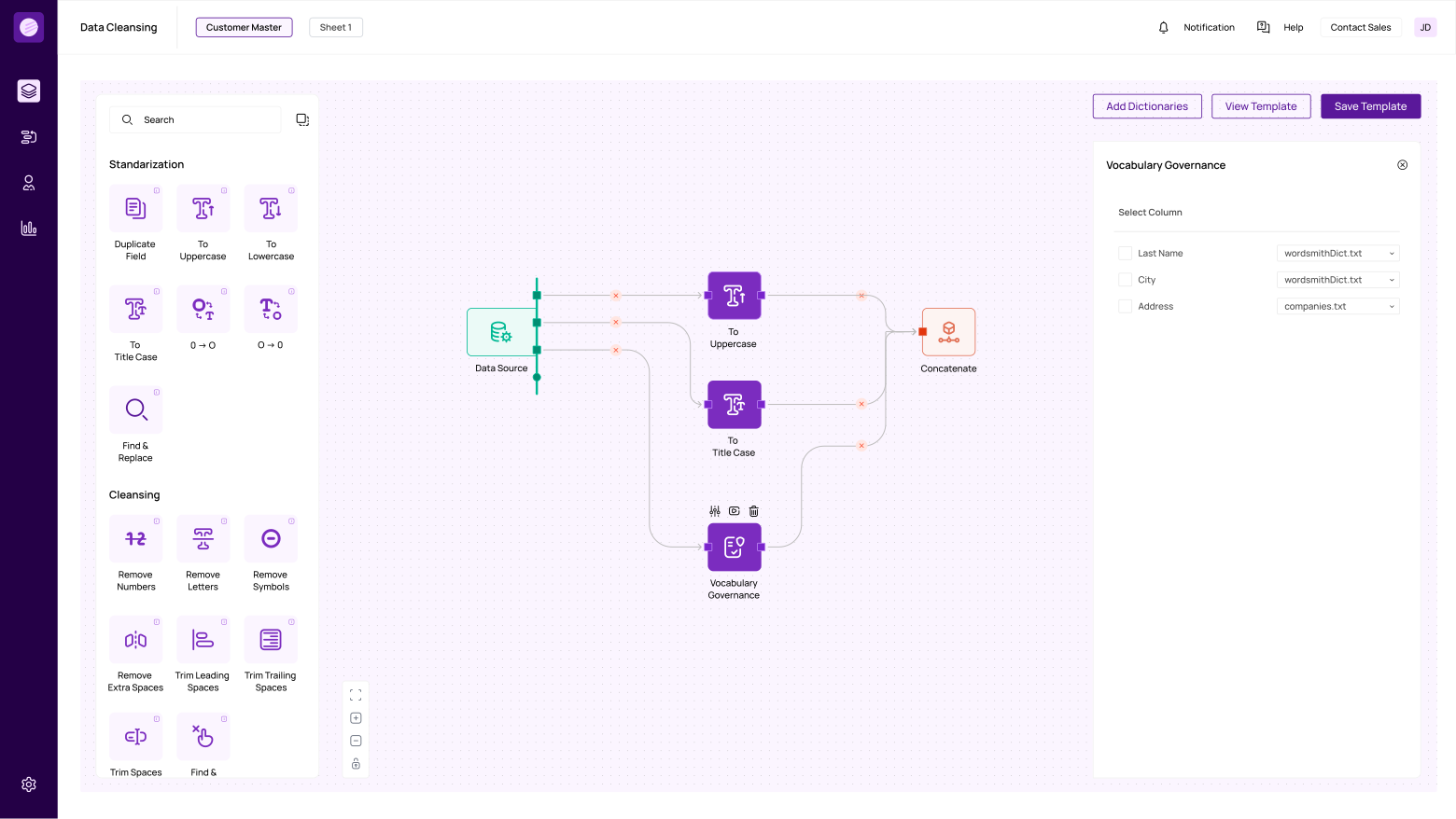
Standardization converts data into uniform formats using defined rules. "Street" becomes "St." (or vice versa, depending on your standard). Phone numbers are reformatted to a consistent pattern. Dates are converted to ISO 8601. Name components are parsed from compound fields into first, middle, last, suffix. Abbreviations are expanded or contracted consistently.
This stage has the single largest impact on downstream matching accuracy. MatchLogic customer benchmarks show that standardizing input data before matching improves deduplication accuracy by 40–50%. The reason is straightforward: matching algorithms compare field values, and when "123 North Main Street" and "123 N. Main St." are standardized to the same format before comparison, the match is exact rather than fuzzy, eliminating uncertainty.
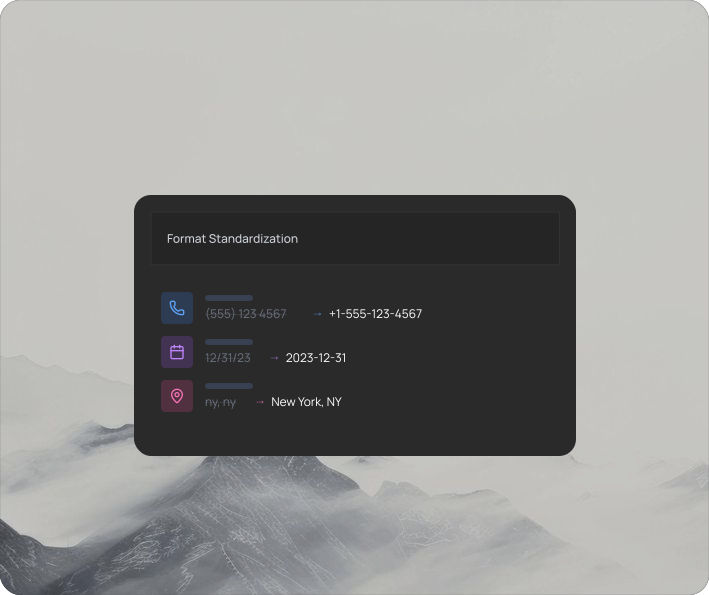
MatchLogic's standardization engine transforms inconsistent formats into uniform patterns: phone numbers, dates, addresses, and abbreviations all follow your defined standards.
Stage 3: Validate and Correct
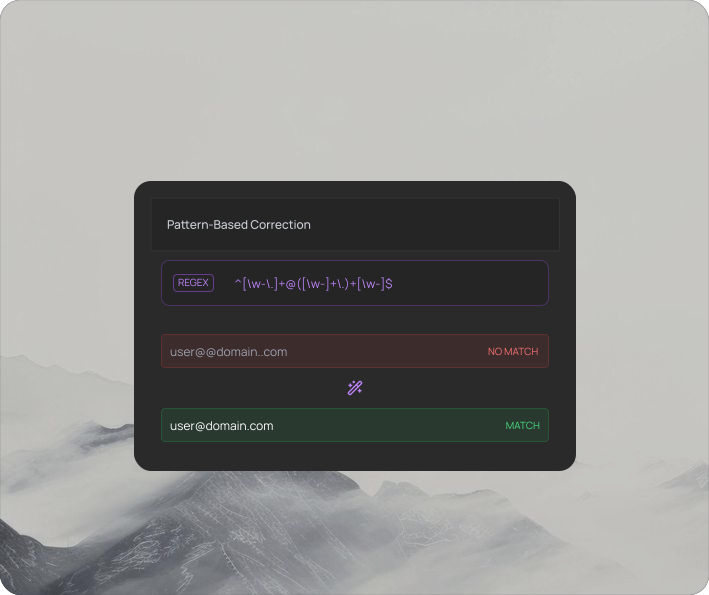
Validation applies pattern rules and business logic to identify values that are syntactically or semantically incorrect. Email addresses must contain an @ symbol and a valid domain. Phone numbers must have the correct digit count for their country. ZIP codes must match known ranges. Dates must fall within reasonable bounds.
Values that fail validation are either auto-corrected (if the correction is unambiguous, like adding a missing country code to a phone number) or flagged for manual review. The goal is to fix what can be fixed automatically and queue the rest for human judgment.
Stage 4: Monitor and Maintain
Cleansing is not a project; it is a pipeline. Data quality degrades continuously as new records enter the system, existing records go stale, and upstream systems introduce new format variations. Embed cleansing rules in your data pipelines via API so that every new record is standardized and validated at the point of entry. Schedule periodic profiling scans (weekly or monthly) to detect drift. Set threshold alerts that trigger when completeness drops or format violations spike.
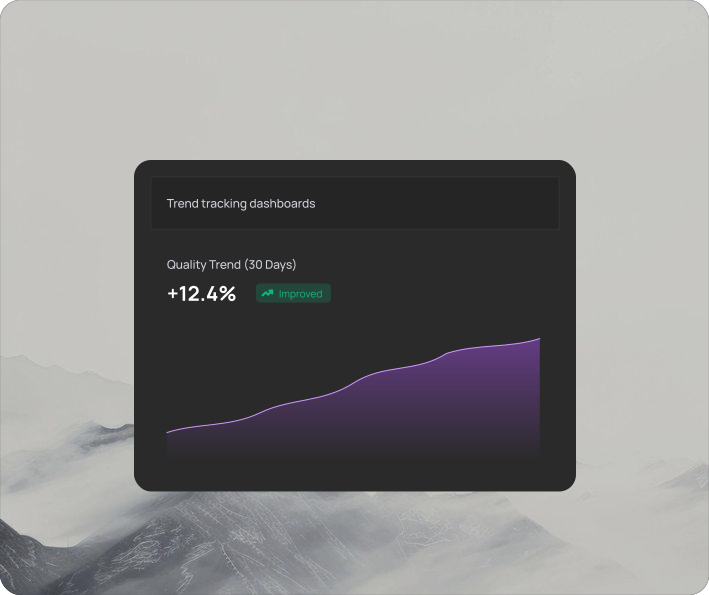
MatchLogic tracks quality scores over time, alerting you when duplicates spike, completeness drops, or format violations re-emerge.
40%
Average reduction in data errors after standardization
<3 min
To cleanse 1 million records at scale
96%
Format consistency achieved across all sources
Why Does Data Cleansing Improve Matching and Deduplication Accuracy?
Cleansing and matching are sequential stages in the same pipeline, and the quality of cleansing directly determines matching accuracy. When "McDonald's" appears as "McDonalds," "McDnlds," and "McDonald's Corp" in your data, a matching algorithm must rely on fuzzy string comparison to identify these as the same entity. Fuzzy matching works, but it introduces uncertainty: lower thresholds catch more true matches but increase false positives.
If you standardize company names before matching (expanding abbreviations, removing punctuation, applying a canonical format), many of those fuzzy matches become exact matches, and the uncertainty disappears. The same principle applies to addresses, phone numbers, dates, and every other field type. Cleansing reduces the burden on matching algorithms by eliminating variation that is not meaningful.
This is why MatchLogic integrates profiling, cleansing, matching, and merge purge in a single platform: the output of each stage feeds directly into the next without data exports, format conversions, or pipeline breaks. Standardized data flows from the cleansing engine into the [INTERNAL LINK: Cluster 1 Pillar, matching engine], and matched groups flow into the [INTERNAL LINK: Cluster 3 Pillar, deduplication and merge purge process].
"Configurable matching rules let us set different thresholds by entity type. False positive rate dropped from 28% to under 2%."
— Michael Chen, VP Data Governance, Global Logistics Inc.
28% → 2% false positive rate reduction
How Should You Evaluate Data Cleansing Software?
When evaluating data cleansing tools, assess them against these criteria. For a comparison of data scrubbing software options, see our [INTERNAL LINK: 4A, data scrubbing software guide].
Transformation Breadth
- What to Assess: Does it handle format standardization, parsing, case conversion, pattern validation, and vocabulary governance? Can you build custom rules?
- Why It Matters: Enterprise data has dozens of quality issue types. A tool that only does format conversion misses parsing, validation, and governance needs.
Preview Before Apply
- What to Assess: Can you see before/after transformations before committing changes? Can you test rules on a sample before running on full dataset?
- Why It Matters: Blind cleansing destroys data. Preview prevents irreversible mistakes.
Pipeline Integration
- What to Assess: API support for embedding cleansing in ETL pipelines? Scheduled runs? Event-triggered cleansing on new records?
- Why It Matters: One-time cleansing degrades within months. Pipeline integration makes it continuous.
Profiling Built-In
- What to Assess: Does the tool include data profiling, or does it require a separate product? Can profiling insights drive cleansing rule configuration?
- Why It Matters: Cleansing without profiling is guessing. Integrated profiling makes the feedback loop immediate.
Scale
- What to Assess: Can it process 10M+ records? What throughput? Does accuracy degrade at volume?
- Why It Matters: Enterprise datasets are large. Cleansing tools that choke at scale create bottlenecks.
Deployment
- What to Assess: On-premise, cloud, or hybrid? Data residency compliance? Air-gapped environment support?
- Why It Matters: Organizations processing PII, PHI, or regulated financial data require on-premise processing.
What Are the Best Practices for Enterprise Data Cleansing?
Always Profile Before You Cleanse
Run data profiling on every dataset before configuring cleansing rules. Profiling reveals the actual completeness rates, format variations, and validation failures. Without profiling, you are writing rules based on assumptions, and those assumptions are almost always wrong.
Standardize Before You Match
Run all standardization and format conversion before passing data to matching or deduplication engines. Cleansed data matches more accurately because format variations are eliminated before comparison. This single practice improves deduplication accuracy by 40–50% in enterprise datasets.
Preview Every Transformation
Never apply cleansing rules blindly to production data. Preview before/after results on a sample, verify the transformations are correct, then apply. MatchLogic shows live before/after previews for every transformation, letting you validate results before committing any changes.
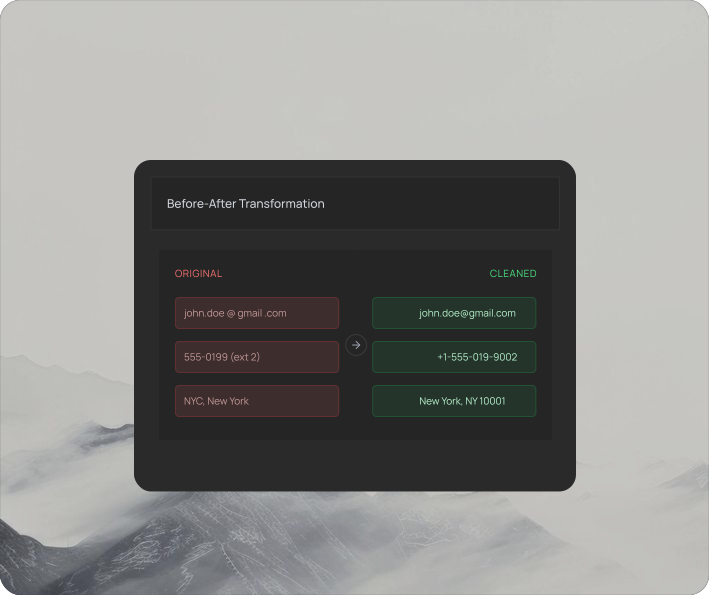
MatchLogic shows original and cleaned values side by side before any changes commit, preventing irreversible data quality mistakes.
Automate Cleansing in Your Pipelines
Embed cleansing rules in your ETL/ELT pipelines via API so that every new record is standardized and validated at the point of entry. Schedule periodic batch scans to catch records that entered through channels without real-time cleansing. The goal is zero-touch quality maintenance.
Monitor Quality Metrics Continuously
Track completeness, format consistency, and validation pass rates as KPIs. If completeness drops after initial cleanup, new data sources are introducing dirty records. If format consistency declines, new entry points are bypassing your standardization rules. Catch drift early before it compounds.
"As part of the journey we've gone through with MatchLogic, we're becoming more data-first, moving from assumption to assurance around data quality."
— Daniel Hughes, VP of Analytics, Finverse Bank
Clean Data Is the Foundation of Every Enterprise Data Initiative
Data cleansing is not a standalone project; it is the first stage of every data quality pipeline. Profiling reveals the problems. Standardization fixes the formats. Validation catches the errors. Monitoring prevents regression. Without cleansing, every downstream process (matching, deduplication, entity resolution, analytics, AI/ML) operates on unreliable input and produces unreliable output.
The most effective enterprise implementations treat cleansing as a continuous pipeline, not a periodic event. Automated cleansing at the point of data entry, integrated profiling to detect drift, and preview-before-apply safeguards to prevent mistakes create a data quality foundation that scales with the organization.
MatchLogic provides the on-premise infrastructure for enterprise data cleansing: profiling that diagnoses quality issues in seconds, standardization rules that transform messy data into uniform formats, vocabulary governance that eliminates noise terms at scale, and API-driven automation that keeps data clean permanently. For organizations where data residency is non-negotiable, all processing occurs within your secured infrastructure.
Frequently Asked Questions
What is data cleansing and how does it differ from data matching?
Data cleansing identifies and corrects inaccurate, incomplete, and inconsistent records: fixing formats, removing invalid values, standardizing patterns, and parsing compound fields. Data matching compares records to find duplicates or links between entities. Cleansing prepares data for matching; matching identifies relationships within cleansed data. They are sequential stages in the same quality pipeline.
What is the difference between data cleansing, data scrubbing, and data washing?
These terms are functionally synonymous in enterprise practice, though some vendors draw distinctions. Data cleansing is the most widely used term. Data scrubbing emphasizes the removal of errors and noise. Data washing is less common and sometimes refers specifically to address hygiene processes. For a detailed breakdown, see our [INTERNAL LINK: 4E, cleansing vs. scrubbing vs. washing definitions guide].
Does data cleansing improve matching accuracy?
Yes, significantly. Standardizing data before matching eliminates format variations that cause false negatives. MatchLogic customer benchmarks show that cleansing before matching improves deduplication accuracy by 40–50%. The principle is straightforward: when "123 North Main Street" and "123 N. Main St." are standardized to the same format, the match is exact rather than fuzzy.
Can data cleansing run on-premise for regulated industries?
Yes. On-premise cleansing platforms process all data within your secured infrastructure. MatchLogic is built for on-premise deployment, ensuring PII, PHI, and regulated financial data never leave your network. All transformations, validation results, and audit trails are generated and stored locally.
How do you prevent data quality from degrading after cleansing?
Embed cleansing rules in your data pipelines via API so every new record is standardized and validated at the point of entry. Schedule periodic profiling scans to detect drift. Set threshold alerts for completeness drops or format violation spikes. Treat data quality as a continuous process, not a one-time project.
What should I look for in enterprise data cleansing software?
Prioritize: breadth of transformation capabilities (formatting, parsing, validation, vocabulary governance), preview-before-apply safeguards, API-driven pipeline integration, built-in profiling, enterprise scale (10M+ records), and on-premise deployment for regulated data. The tool should integrate with your matching and deduplication workflows to avoid pipeline breaks between quality stages.





.svg)